
Creating a user for integration with the telephony network
To integrate a tenant with the T-Mobile network, you need to create a user and assign them a license with the Teams Phone add-on. After the integration work is complete, this user can be deleted. This will allow you to recover the license.
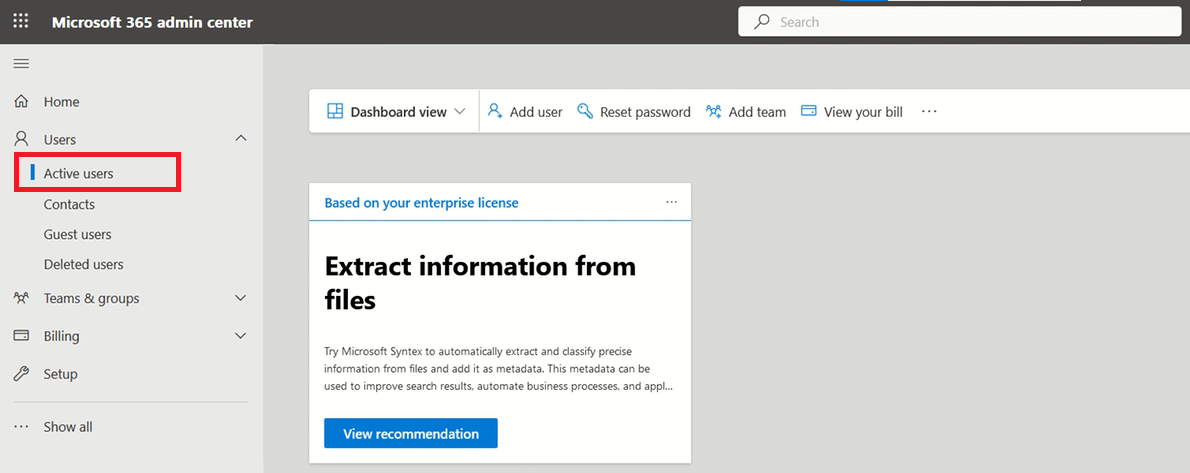
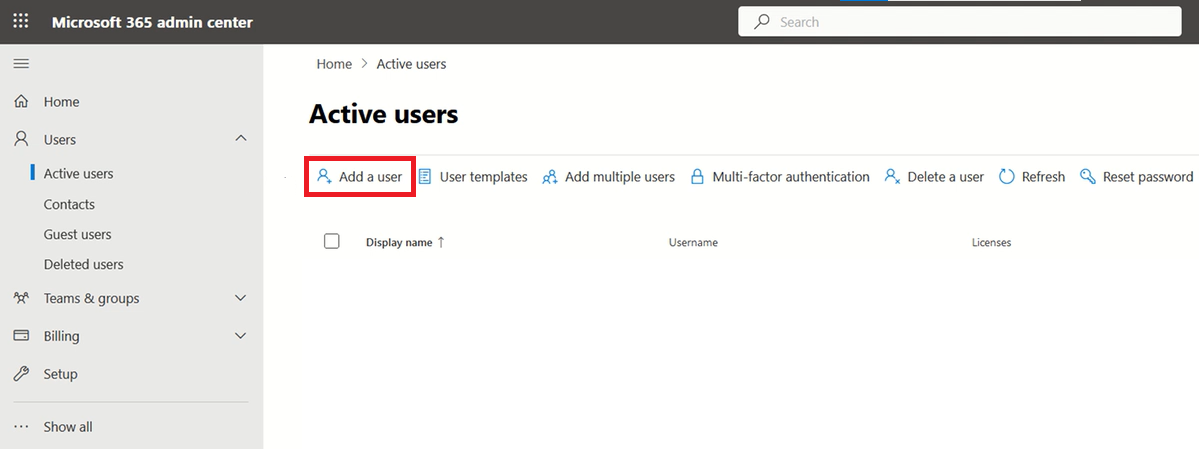
2. Select Add a user.
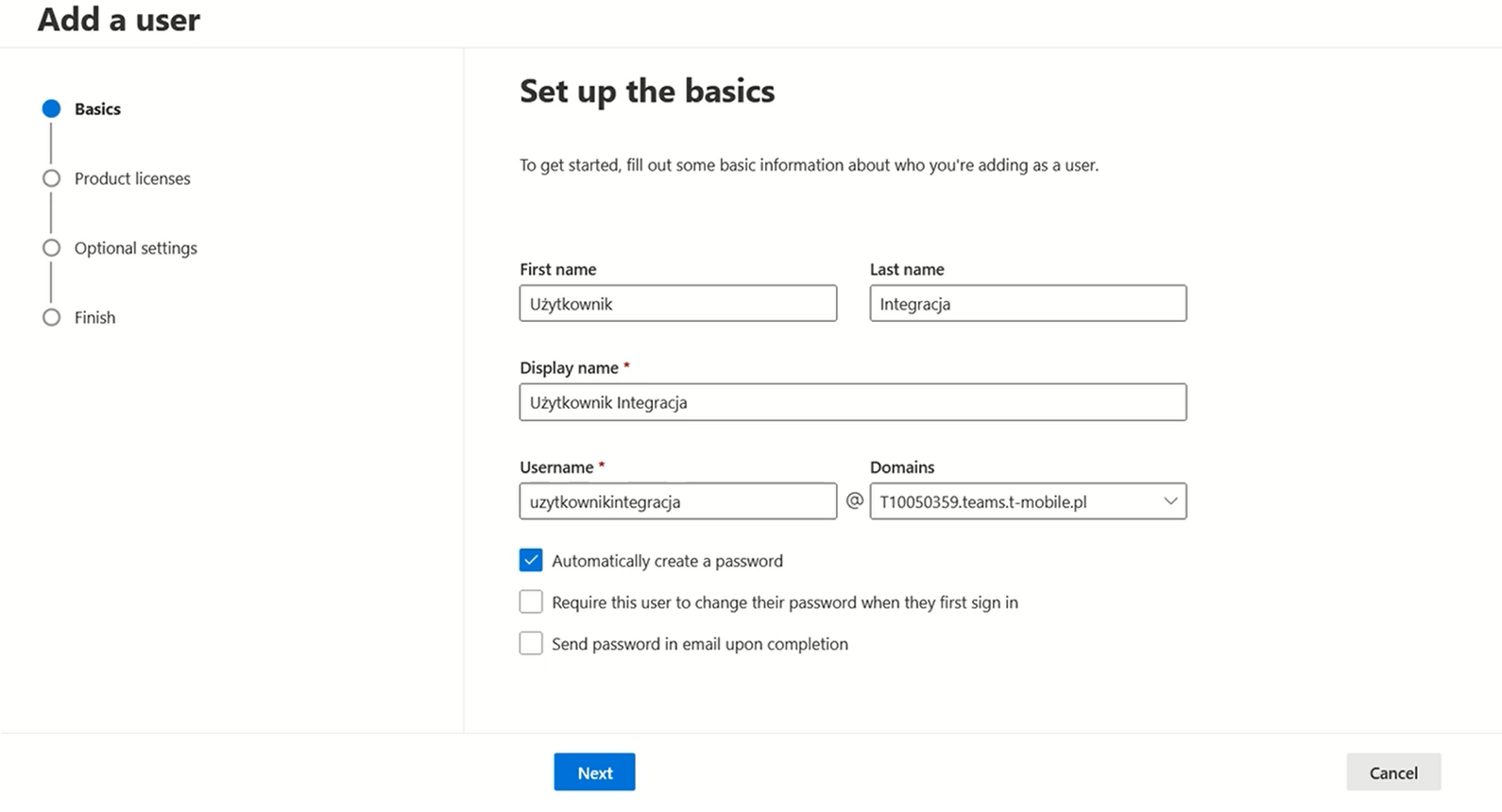
3. Fill in the user's information and select the password settings. Enter the domain that was assigned to your company by T-Mobile, for example: T10012345.teams.t-mobile.pl.
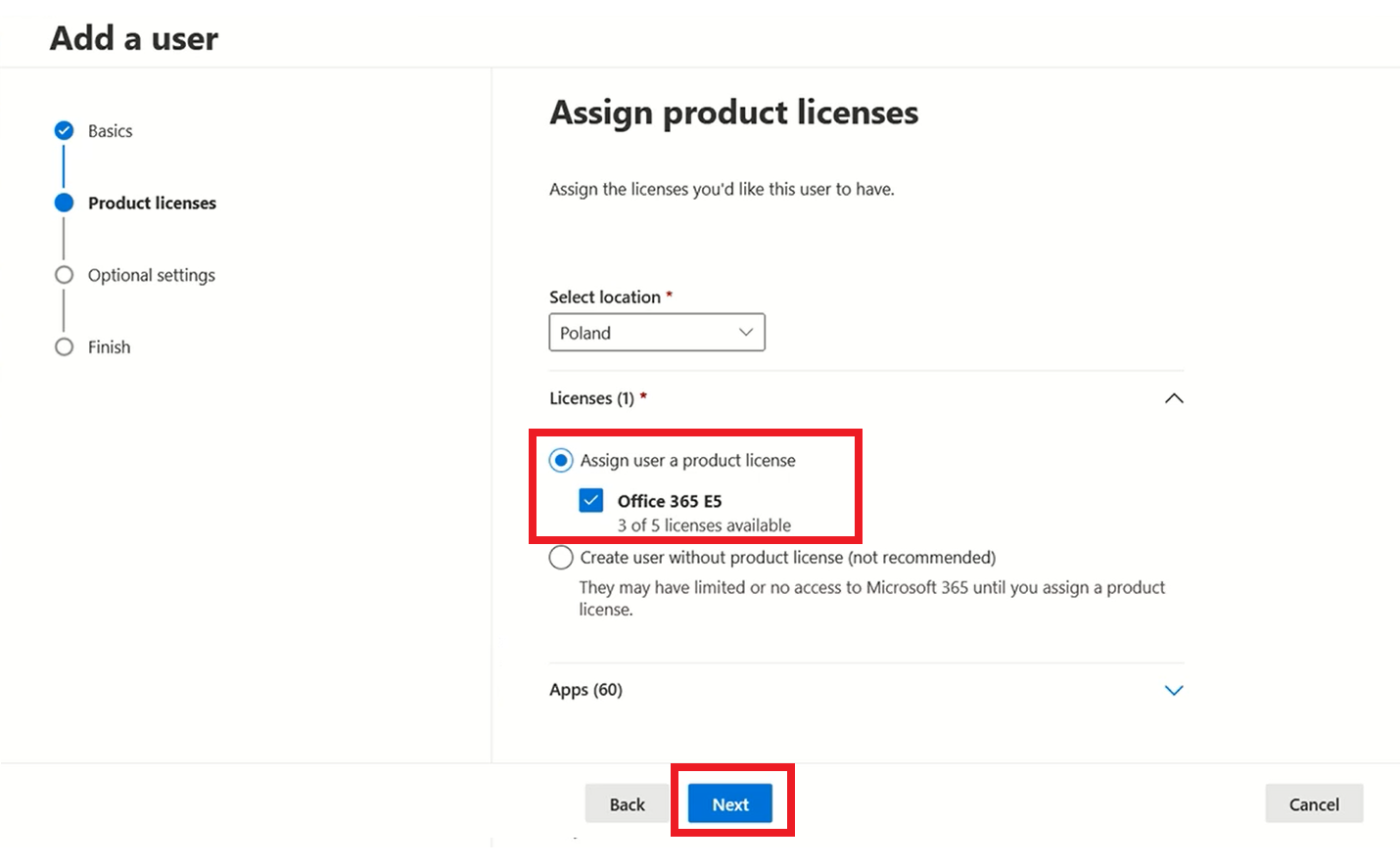
4. Assign the user a license that includes Microsoft Teams. For example:
- Microsoft 365 E5,
- M365 Business Basic,
- M365 Business Standard.
5. Follow the next steps until the user creation is complete.
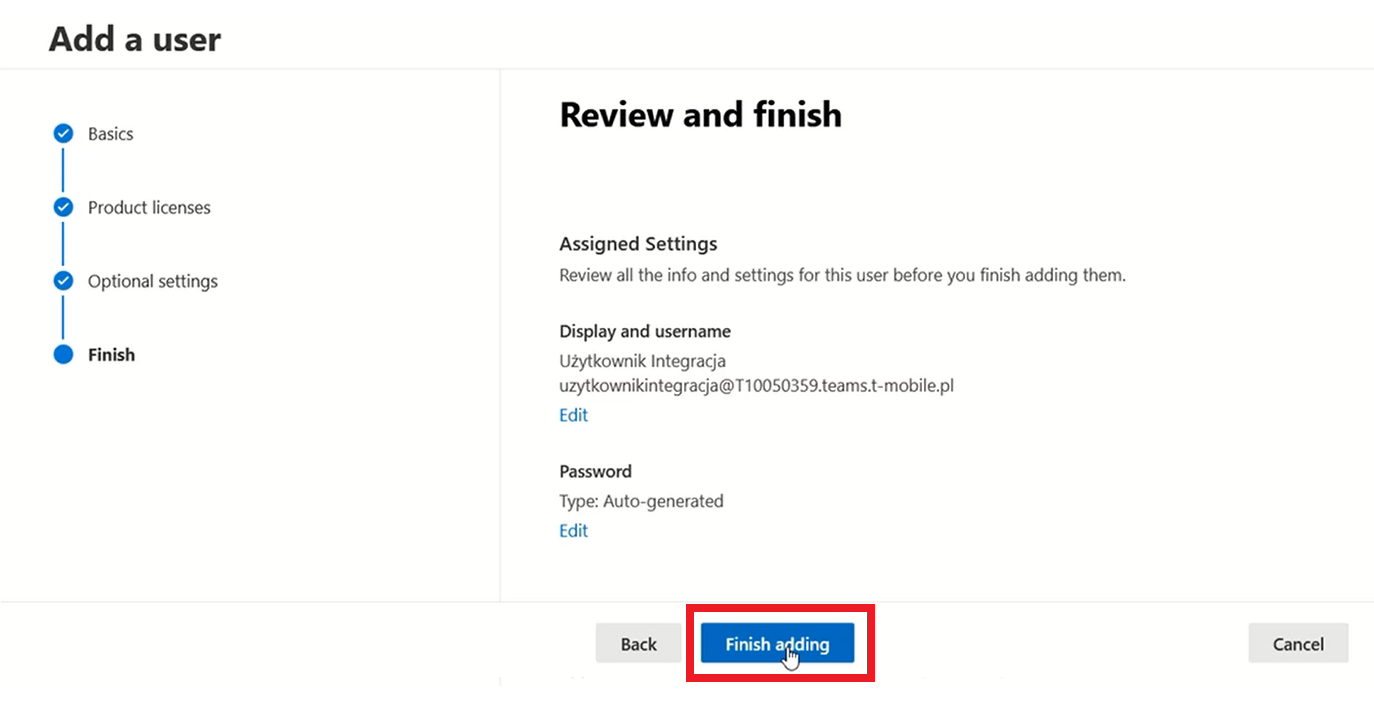
Once you have finished adding the user, you can proceed to the next instruction.